Ferkelkram

Your photo, restyled

Transform the scene with an AI photo editor

The AI photo editor follows your prompt to change the background, lighting, or outfit while keeping the person consistent. A few words can turn gray skies into a golden-hour glow.

  • Edit with a prompt
  • Keep the person consistent
  • Save results privately
Three before-and-after photo editing examples

Before meets beautiful

Three prompts, three dazzling new scenes

Flat light, a cloudy street, the wrong outfit? Tell the editor what to transform—and what should stay exactly as it is.

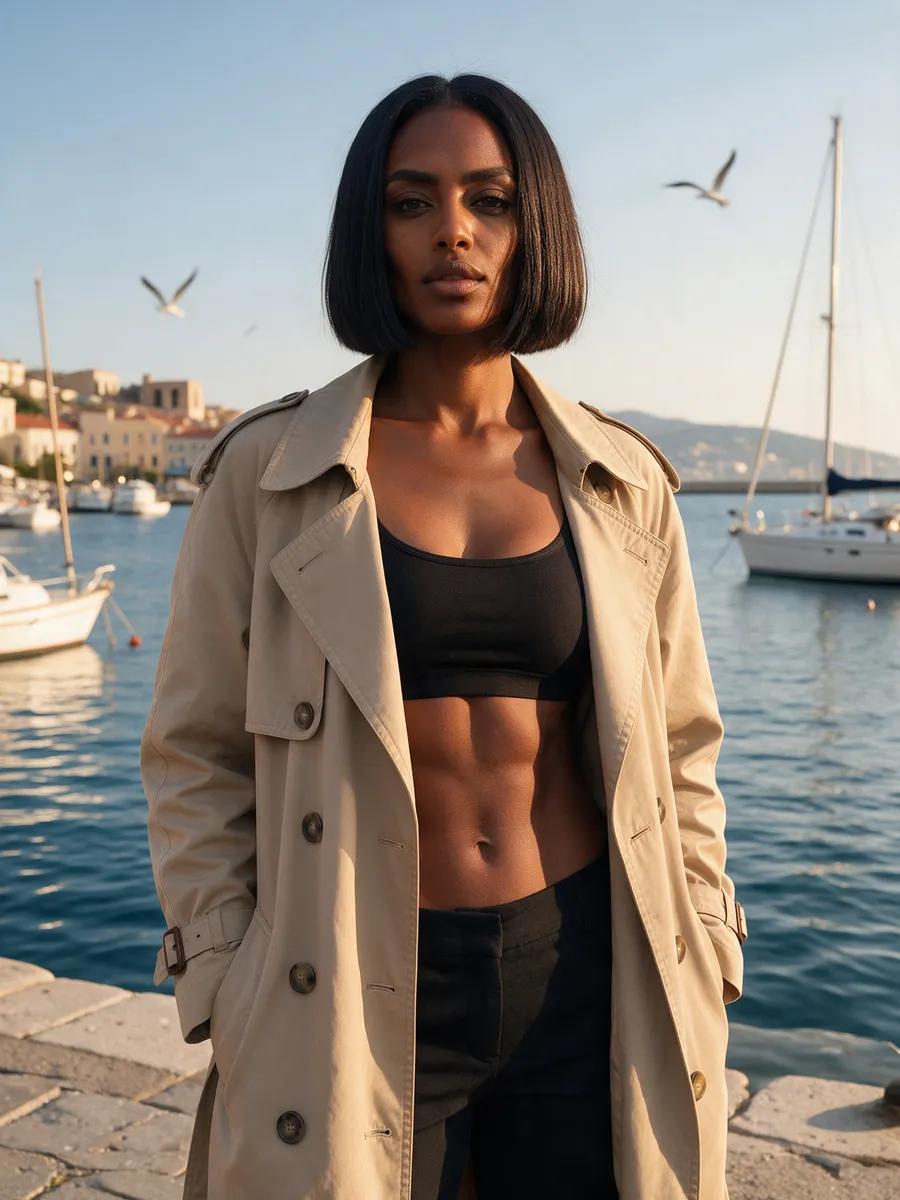
After: Harbor glow
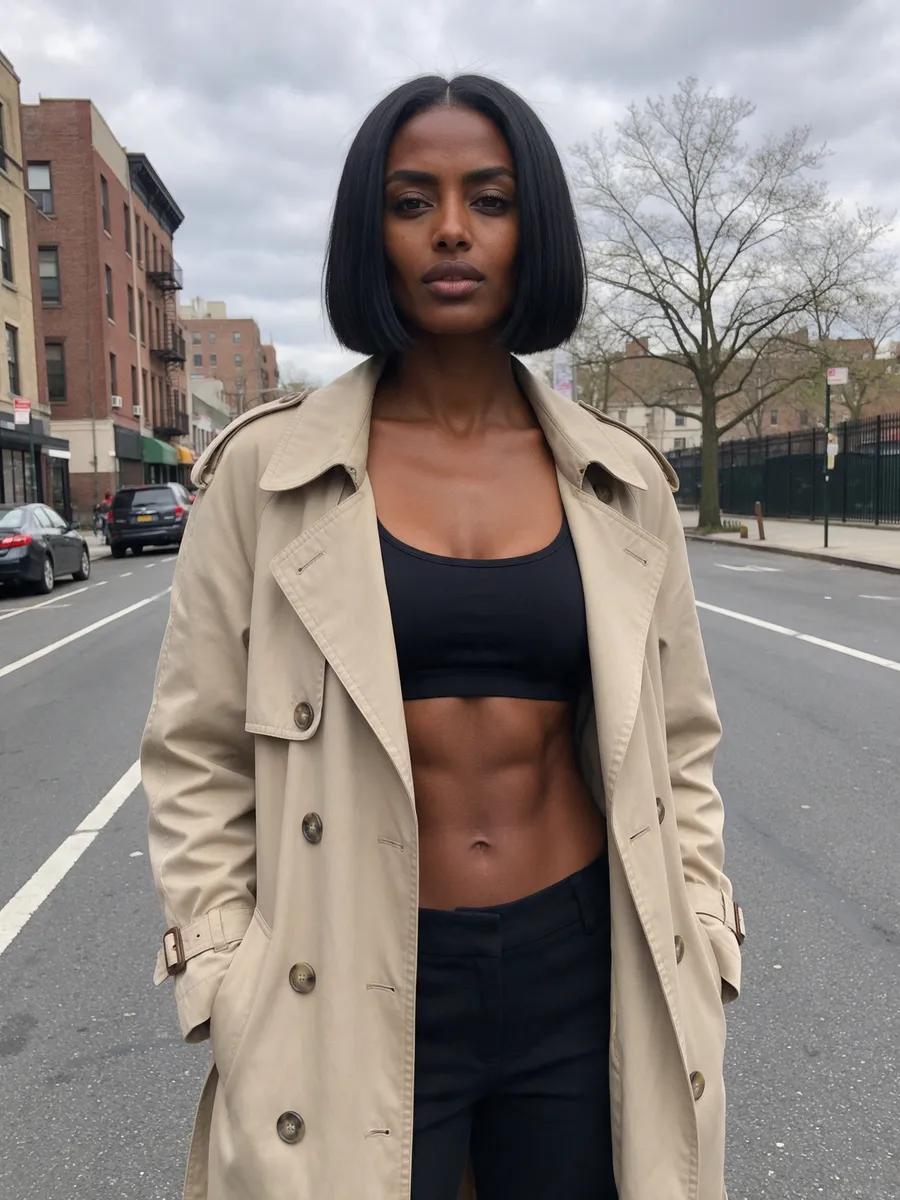
Before: Harbor glow
BeforeAfter

Harbor glow

A cloudy city street becomes a sunny Mediterranean harbor bathed in warm golden light, while the woman and her beige trench coat remain unchanged.

“Replace the background with a sunny Mediterranean harbour and warm golden light. Keep everything about her the same.”

After: Golden-hour warmth
Before: Golden-hour warmth
BeforeAfter

Golden-hour warmth

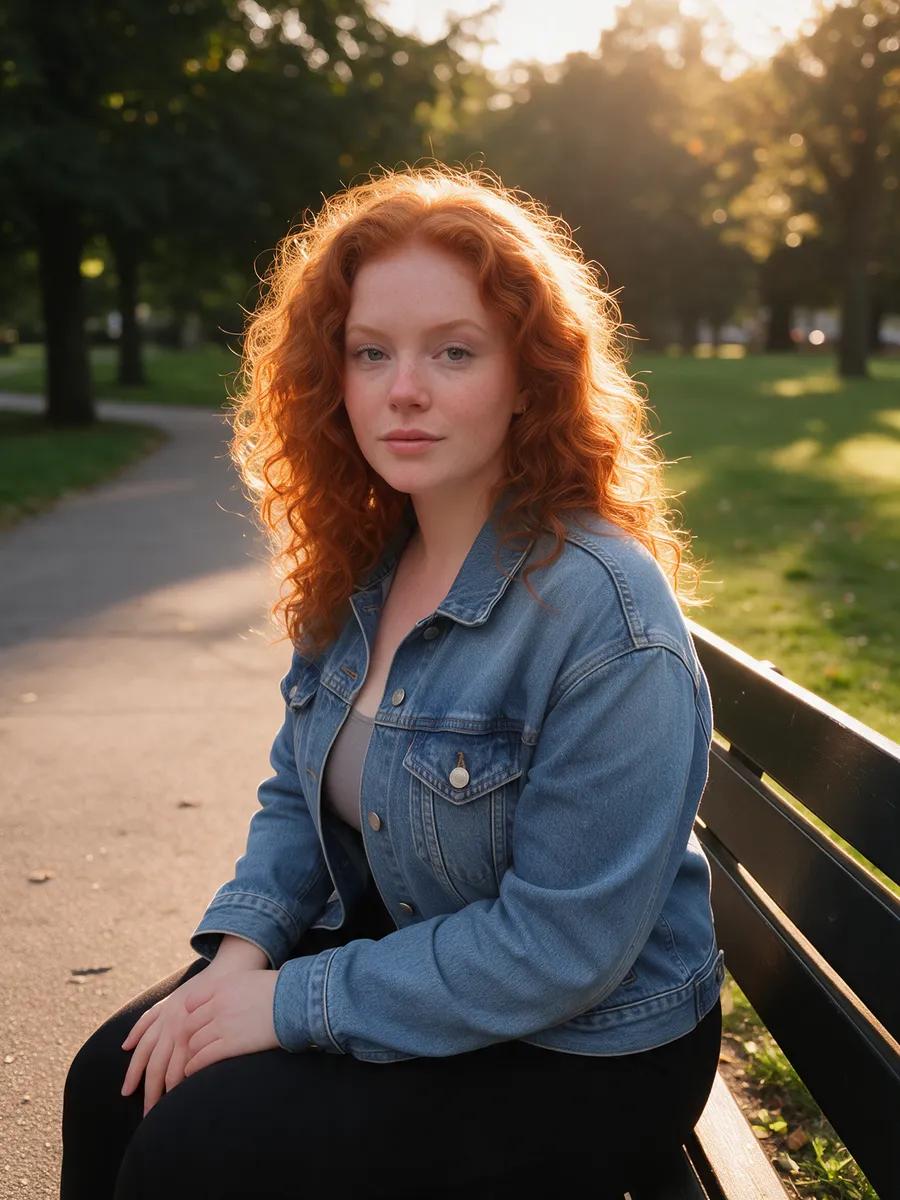
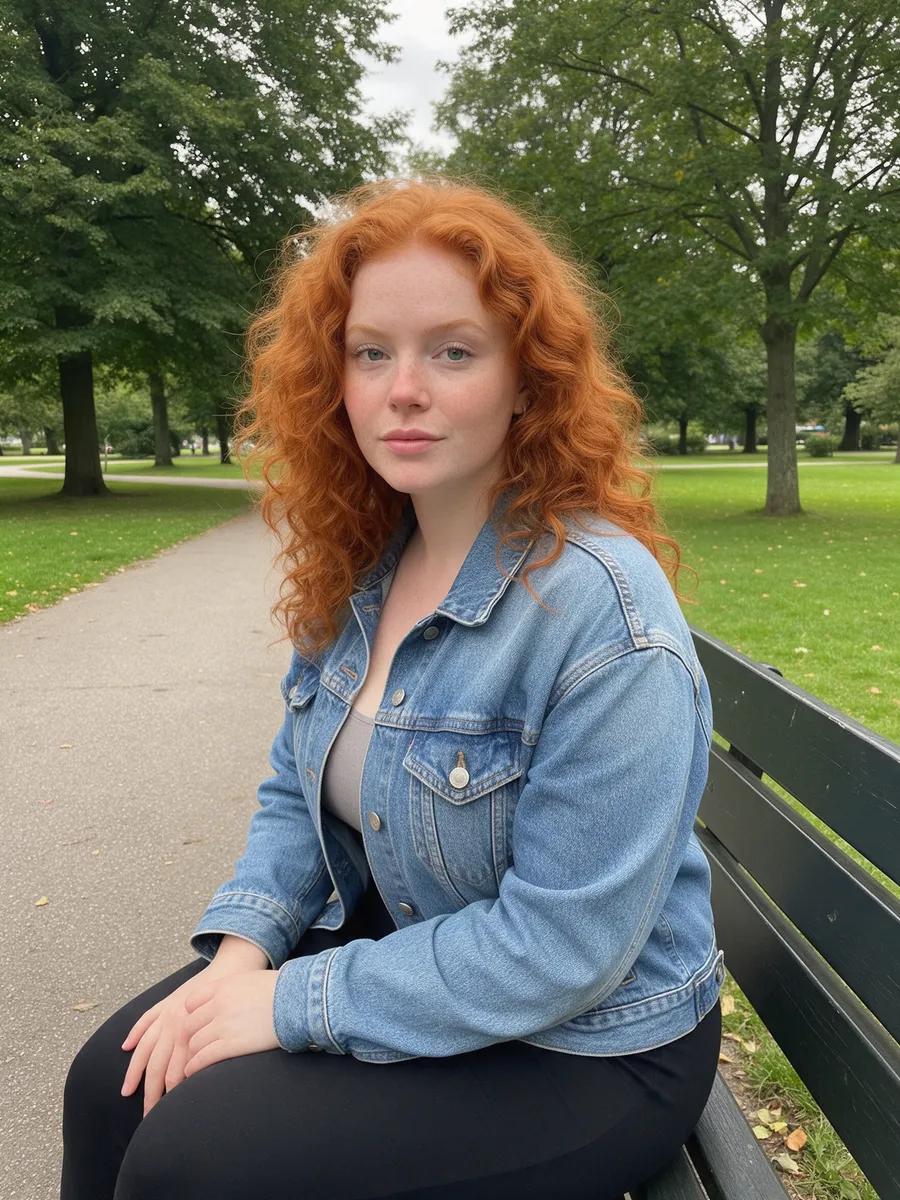
Soft, warm backlighting replaces the dull park light and gives her skin a gentle glow, while the woman remains unchanged on the bench.

“Relight the photo as golden hour with soft warm backlight and a glow on her skin. Keep her the same.”

After: Ballroom entrance
Before: Ballroom entrance
BeforeAfter

Ballroom entrance

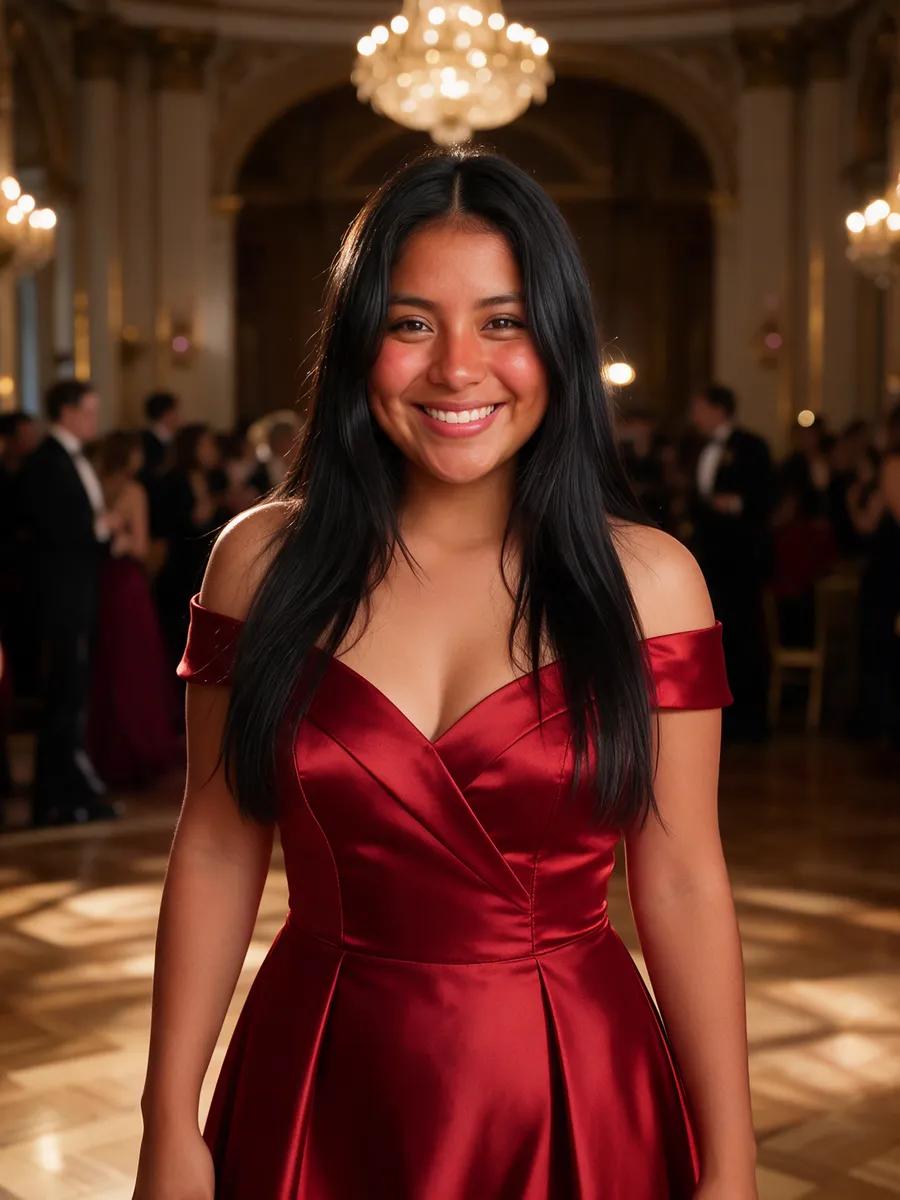
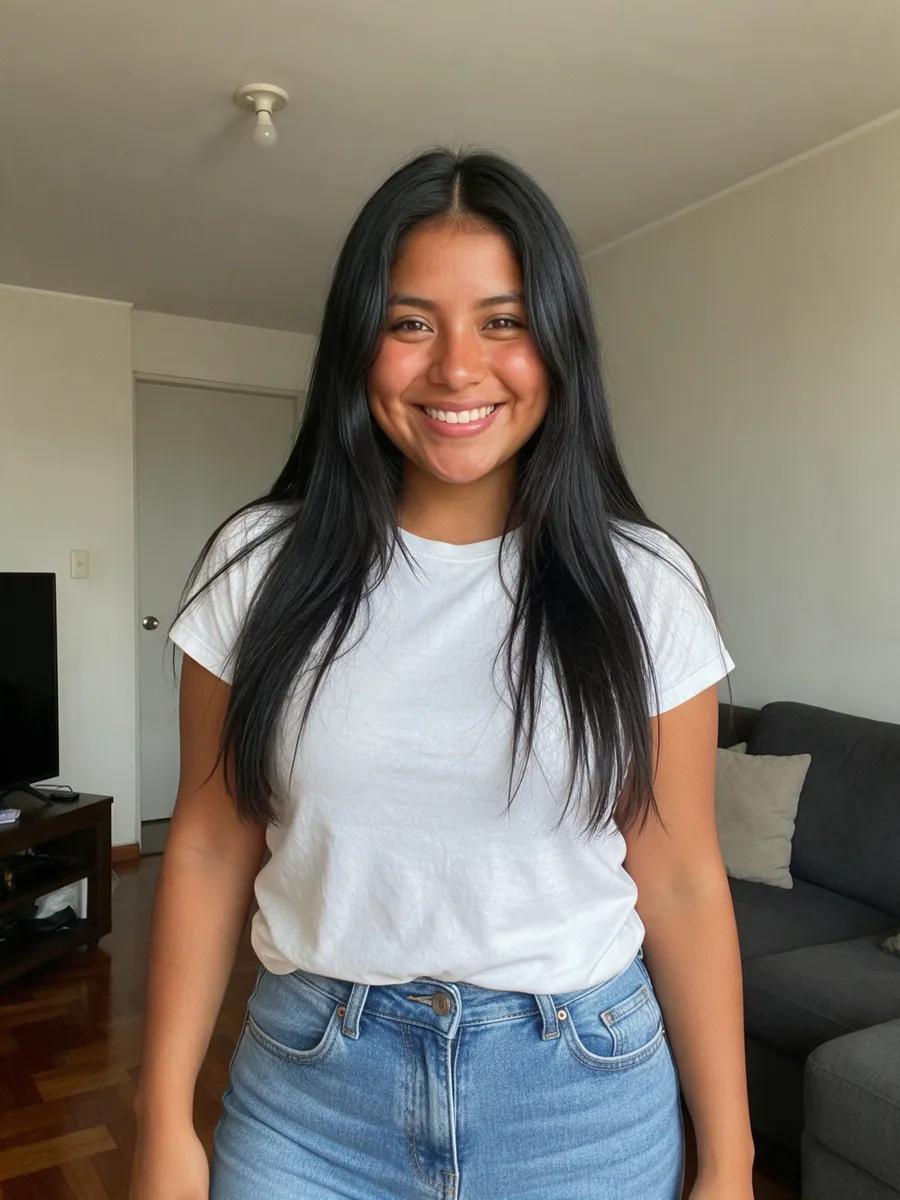
The T-shirt, jeans, and living room give way to an elegant red evening gown and a grand ballroom, while her face and body remain unchanged.

“Change her outfit to an elegant red evening gown and the room to a grand ballroom. Keep her face and body the same.”

Edit with a prompt

Make every photo feel cinematic

Just describe it

Tell the editor what you want to change. Name the background, lighting, or outfit, then specify what should remain the same.

Create new backdrops

Move your subject from a cloudy street to a sunlit harbor—or from a living room to a grand ballroom.

Find better light

Trade flat daylight for warm golden-hour tones, soft backlighting, and a luminous summer mood.

Try another look

Turn everyday clothing into an elegant evening gown by describing the color, cut, and style you have in mind.

Choose powerful engines

Seedream 5 Pro creates cinematic images up to 2K in a range of aspect ratios. Qwen Image Pro delivers crisp detail and can handle text within images.

Keep results private

Every finished image lands in your private account library. View it there, keep editing, or download it.

Three easy steps

Restyle photos in just a few words

  1. 1

    Upload your photo

    Sign up for free and upload your photo to the studio. You may also use a photo of another real person if you have their consent.

  2. 2

    Describe the change

    Describe the backdrop, lighting, or clothing you want. Add clear instructions about which details should stay the same.

  3. 3

    Download your result

    Your edited image appears in your private library. Download it or send it back to the editor for another transformation.

Upload your photo

Photo editing questions, answered

How do I edit a photo using a prompt?+

Upload a photo and describe the change you want. You can adjust the setting, lighting, or clothing and tell the editor which details to preserve. The finished image appears in your private library.

Can I replace a photo's background?+

Yes. Describe the new location or setting, such as a sunny Mediterranean harbor, and ask the editor to keep the person unchanged. It will replace the existing backdrop based on your instructions.

Can the editor improve a photo's lighting?+

You can describe a specific lighting mood, including golden hour, soft warm backlighting, or a gentle glow on the skin. The editor uses that direction to relight the image.

Can the editor change an outfit?+

Yes. Describe the outfit you want, including its color, cut, and style. You can also ask the editor to preserve the person's face and body while changing the clothing.

Will the person stay the same after editing?+

You can clearly instruct the editor to preserve the person's face, body, hair, and other defining details. Then name only the elements you want changed, such as the background, lighting, or outfit.

Can I edit a photo of someone else?+

You may upload your own photo. If the photo shows another real person, you need their consent before using it. Finished results are stored in your private account library.

How much does photo editing cost?+

Registration is free, and you receive a small starter credit after confirming your email. An image costs a few credits. Additional credits are sold in one-time packs, with no subscription.

Give your photo its next big entrance

Upload your image, describe the transformation, and turn one simple prompt into a whole new mood.

  • Edit with a prompt
  • Keep the person consistent
  • Save results privately
Edit your photo